A single VAT ID format doesn't exist in Europe, and that's not a quirk you can paper over with one clever regex. A Romanian number can be as short as two digits after its prefix, a Swedish number needs twelve, and a Greek number starts with EL, not the GR code you'd expect from a country dropdown. Build your validator around one national shape and you'll reject real customers from the other twenty-six.
Table of Contents
- VAT ID Format by Country and Why It Varies
- Regex Patterns for Every Country's VAT ID
- Normalization Rules Before You Validate
- Northern Ireland and Great Britain Numbers
- What Each Validation Result Means
- Name and Address Matching Limits
- Where Each Check Belongs in Your Stack
- Validate Format First, Then Call the Remote Service
VAT ID Format by Country and Why It Varies
Start with the lookup table. Every example below shows shape only. It isn't a claim that the number is registered, active, or enabled for cross-border trade.
| Country | Prefix | Local part | Example |
|---|---|---|---|
| Austria | AT | U plus 8 digits | ATU12345678 |
| Belgium | BE | 10 digits, first digit 0 or 1 | BE0123456789 |
| Bulgaria | BG | 9 or 10 digits | BG123456789 |
| Cyprus | CY | 8 digits plus 1 letter | CY12345678X |
| Czechia | CZ | 8 to 10 digits | CZ12345678 |
| Germany | DE | 9 digits | DE123456789 |
| Denmark | DK | 8 digits | DK12345678 |
| Estonia | EE | 9 digits | EE123456789 |
| Greece | EL | 9 digits | EL123456789 |
| Spain | ES | 9 characters, letter or digit, 7 digits, letter or digit | ESX1234567X |
| Finland | FI | 8 digits | FI12345678 |
| France | FR | 2-character key plus 9 digits | FRXX123456789 |
| Croatia | HR | 11 digits | HR12345678901 |
| Hungary | HU | 8 digits | HU12345678 |
| Ireland | IE | 8 or 9 characters, ending in a letter | IE1234567T |
| Italy | IT | 11 digits | IT12345678901 |
| Lithuania | LT | 9 or 12 digits | LT123456789 |
| Luxembourg | LU | 8 digits | LU12345678 |
| Latvia | LV | 11 digits | LV12345678901 |
| Malta | MT | 8 digits | MT12345678 |
| Netherlands | NL | 9 digits, B, 2 digits | NL123456789B01 |
| Poland | PL | 10 digits | PL1234567890 |
| Portugal | PT | 9 digits | PT123456789 |
| Romania | RO | 2 to 10 digits | RO123456789 |
| Slovenia | SI | 8 digits | SI12345678 |
| Slovakia | SK | 10 digits | SK1234567890 |
| Sweden | SE | 12 digits | SE123456789012 |
| Northern Ireland | XI | 9 or 12 digits, or GD or HA plus 3 digits | XI123456789 |
| Great Britain | GB | 9 or 12 digits, or GD or HA plus 3 digits | GB123456789 |
The Prefix Is Not Always the ISO Code
The two-letter prefix identifies the issuing country, and it's your routing key. Greece is the trap. Its VAT prefix is EL, while ISO country lists, address forms, and shipping libraries usually give you GR. If you copy the address country straight into the VAT field, every Greek customer fails before you've checked anything real.
Northern Ireland is the other exception you'll meet in production. It uses XI, a prefix that doesn't appear in standard country lists at all. I would treat the prefix as data in its own right, parsed from the number or selected explicitly, never derived from a billing address without anyone noticing.
Practical rule: Store the prefix and the local part as separate fields, and store both as strings. A numeric column will destroy leading zeros and break Belgian numbers on contact.
Belgium makes that concrete. Belgian numbers are ten digits and can begin with 0. Parse one as an integer anywhere in your pipeline, in a spreadsheet import, a JSON number, a database column, and you've shortened it to nine digits. It'll then fail every downstream check for a reason nobody can see in the UI.
Where the Table Spreads Widest
Most countries sit in a comfortable band of eight to eleven digits. The outliers are where generic validators die.
- Romania: 2 to 10 digits is the widest range in the table. Any minimum-length rule you invent, say eight characters, rejects legitimate short Romanian numbers.
- Bulgaria and Czechia: Bulgaria accepts 9 or 10 digits and Czechia accepts 8 to 10, so a fixed-length check per country is already wrong for two member states.
- Lithuania: 9 or 12 digits, with nothing valid in between. A range check from 9 to 12 would wrongly accept 10 and 11 digit inputs.
- Sweden: 12 digits, the longest standard form in the EU. Truncation at a field length chosen for Germany will corrupt it.
- Spain and Ireland: Both mix letters and digits in defined positions. Spain allows a letter or digit at both ends. Ireland ends in a letter and can carry a second trailing letter.
- Austria and the Netherlands: Austria puts a literal U after the prefix. The Netherlands puts a B between nine digits and a two-digit suffix. Digits-only sanitizers strip exactly the characters that make these numbers valid.
Why One Pattern Cannot Cover This
This variation isn't accidental. The European Commission country-specific VAT documentation confirms that every EU country uses its own format, generally a country prefix followed by a country-specific sequence of digits or characters, so you can't safely treat a VAT ID as a single globally uniform numeric field.
That means your data model follows the Commission's model, not the other way round. You need a country-keyed registry, one entry per prefix, each carrying its own length and character rules. A global pattern like two letters followed by 8 to 12 digits gets Germany right but mishandles Austria, Spain, Cyprus, Ireland, the Netherlands, and Romania without warning.
There's a second distinction that catches teams importing tax data from CRMs or accounting tools. A VAT ID isn't always the same thing as a national tax identifier. Some member states use one number for several taxes, while others issue separate identifiers for VAT and other taxes. A customer who pastes their domestic tax number into your VAT field may give you a real number that just isn't the right one.
It goes further. In some countries, the number used for intra-EU transactions through VIES can differ from the domestic VAT identification number. So even a correct-looking domestic number can return no match in a cross-border check. Don't build error copy that accuses the customer of entering a fake number when they've entered a genuine number of the wrong type.
The Four Checking Layers
When you turn the table into code, check in this order. Each layer catches a different class of mistake, and each is cheaper than the one after it.
- Prefix: Is it present, two uppercase letters, and in your registry? This rejects bare domestic numbers and unknown countries immediately.
- Length: Does the local part match that country's length or set of lengths? Lithuania's 9 or 12 is a set, not a range.
- Character class: Are letters allowed, and only where that country allows them? A letter in a German number is an error. A missing letter at the end of a Cypriot number is also an error.
- Check digits: Where a country defines a checksum, run it in code. No regex can do arithmetic.
A syntactically valid value is not proof that a business is registered or authorized for cross-border trade.
That's the boundary of this whole table. Format validation detects missing prefixes, invalid lengths, and disallowed characters before you spend a remote call. It says nothing about whether the number was ever issued. Load the table into a registry, keep every code path reading from it, and never let a checkout form hard-code one country's pattern as the universal rule.
Regex Patterns for Every Country's VAT ID
Normalize first, then match. Uppercase the input, keep the prefix attached, and anchor every pattern with ^ and $ so a valid substring inside a longer string doesn't pass. An unanchored pattern will happily find DE123456789 inside an invoice reference.
| Country | Prefix | Pattern |
|---|---|---|
| Austria | AT | ^ATU\d{8}$ |
| Belgium | BE | ^BE[01]\d{9}$ |
| Bulgaria | BG | ^BG\d{9,10}$ |
| Cyprus | CY | ^CY\d{8}[A-Z]$ |
| Czechia | CZ | ^CZ\d{8,10}$ |
| Germany | DE | ^DE\d{9}$ |
| Denmark | DK | ^DK\d{8}$ |
| Estonia | EE | ^EE\d{9}$ |
| Greece | EL | ^EL\d{9}$ |
| Spain | ES | ^ES[A-Z0-9]\d{7}[A-Z0-9]$ |
| Finland | FI | ^FI\d{8}$ |
| France | FR | ^FR[A-HJ-NP-Z0-9]{2}\d{9}$ |
| Croatia | HR | ^HR\d{11}$ |
| Hungary | HU | ^HU\d{8}$ |
| Ireland | IE | ^IE\d{7}[A-W][A-IW]?$ |
| Italy | IT | ^IT\d{11}$ |
| Lithuania | LT | ^LT\d{9}(\d{3})?$ |
| Luxembourg | LU | ^LU\d{8}$ |
| Latvia | LV | ^LV\d{11}$ |
| Malta | MT | ^MT\d{8}$ |
| Netherlands | NL | ^NL\d{9}B\d{2}$ |
| Poland | PL | ^PL\d{10}$ |
| Portugal | PT | ^PT\d{9}$ |
| Romania | RO | ^RO\d{2,10}$ |
| Slovenia | SI | ^SI\d{8}$ |
| Slovakia | SK | ^SK\d{10}$ |
| Sweden | SE | ^SE\d{12}$ |
| Northern Ireland | XI | ^XI(\d{9}(\d{3})?|(GD|HA)\d{3})$ |
| Great Britain | GB | ^GB(\d{9}(\d{3})?|(GD|HA)\d{3})$ |
The Awkward Rows in Order
Belgium restricts the first digit to 0 or 1, which is why the pattern uses a character class instead of a plain digit count. Bulgaria at 9 or 10 digits and Czechia at 8 to 10 both need quantifier ranges. Cyprus ends in a letter, so \d{9} is wrong even though the total length looks numeric at a glance.
Spain allows a letter or digit in the first and last positions. That's deliberate, since different Spanish entity types get different leading characters. Tightening it to digits-only breaks foreign-entity and certain corporate numbers.
France starts with a two-character key, and that key excludes some letters. The pattern above excludes I and O, which French keys avoid to prevent confusion with digits. Teams that write [A-Z0-9]{2} accept keys France never issues, which is harmless for a pre-check but worth knowing when a number passes locally and fails remotely.
The Netherlands pattern is the one most often mangled by copied libraries. It's nine digits, a literal B, then two digits. Romania at \d{2,10} looks like a typo and isn't. Lithuania uses an optional three-digit group on top of nine, which correctly rejects 10 and 11 digits.
Ireland Needs a Decision
The Irish pattern in the table covers the common form, seven digits plus a trailing letter, with an optional second letter. A second Irish form puts a letter, plus sign, or asterisk in position two. If your customer base includes older Irish registrations, widen the pattern to accept that form. If you don't, you'll reject a small set of real numbers and your support team won't know why.
Sweden, Slovenia, and Slovakia are the easy rows. All three are fixed-length digit patterns with no alternation. Sweden is longer than people expect.
Northern Ireland and Great Britain share a shape but not a destination, which is why they're separate rows rather than one combined pattern. The pattern gets you to the routing decision, it doesn't settle it.
What a Regex Cannot Prove
These patterns check shape only. Several countries add check digits, including Belgium's modulo-97 check, where the last two digits are derived from the first eight. A regex can't verify that relationship. If you want that extra local signal, implement it as arithmetic in code after the pattern passes, and treat a checksum failure as a format error, not a registration verdict.
For readers outside the EU who need the surrounding concepts first, VAT explained by Smart Classic Business Hub is a useful primer on how a tax registration number works in a different jurisdiction, which helps show why no single global pattern exists. Whatever patterns you ship, I'd re-check them against the Commission's country documents once a year, because formats change rarely but they do change.
Normalization Rules Before You Validate
Your remote check is only as good as the string you send it. The VIES checkVat service definition sets the request shape directly, with the countryCode parameter matching [A-Z]{2} and the vatNumber accepting 2 to 12 characters from digits, letters, plus signs, asterisks, and periods. Build normalization to that contract.
The Seven Steps in Order
- Split the prefix: Separate the country prefix from the local identifier into distinct fields before you transform anything.
- Uppercase both: lowercase input is the single most common reason a good number fails a case-sensitive pattern.
- Strip allowed punctuation: Remove spaces, dots, and hyphens where that country's rules allow you to. Don't strip characters the country treats as meaningful, such as the plus or asterisk in the older Irish form.
- Map GR to EL: Convert a Greek GR prefix to EL before pattern matching, because users copy it from address data.
- Keep it a string: Never cast to a number at any stage, so leading zeros survive.
- Reject the impossible locally: A missing country code or a length that still fails after normalization shouldn't cost you a remote call.
- Never pad: Don't add zeros to a short number to make it pass. The padded value can belong to a different company, which turns a formatting shortcut into a compliance problem.
| Raw input | Normalized value | Rule applied |
|---|---|---|
| de 123 456 789 | DE123456789 | Trim, uppercase and remove spaces |
| gr 123456789 | EL123456789 | Map GR to EL for Greece |
| FR-AB-123456789 | FRAB123456789 | Remove hyphens |
| GB 123 4567 89 | GB123456789 | Remove spaces, then route to the GB branch |
| BE 123456789 | Rejected | Nine digits fail the Belgian 10-digit pattern, so do not pad |
Reading the Table
The German row is what most users type in practice, since German numbers are commonly printed in spaced groups. The French row shows hyphens surviving from a copy-paste out of an ERP system. Both are trivially fixable, and both fail a naive anchored regex.
The Belgian row is the important one. Nine digits after BE usually means a leading zero was lost upstream, often in a spreadsheet. Reject it and ask again. Padding it back to ten digits guesses at the missing digit's position, and a guess that happens to match someone else's registration is worse than an error message.
If your numbers arrive from scanned invoices rather than typed forms, normalization quality depends on extraction quality upstream, and the key KPIs for invoice OCR from AmasaTech are worth reviewing before you blame the validator for garbage input. Keep the raw input for audit, store only the normalized value for lookups, and you'll always be able to reconstruct what the customer submitted.
Northern Ireland and Great Britain Numbers
UK numbers cause a disproportionate share of failed checks, because two prefixes with identical shapes go to two different services. Route on the prefix, not on the customer's address.
The Two Routes
Northern Ireland numbers use the XI prefix and stay in VIES, so they follow the same EU request path as a German or French number. Send them through your existing VIES integration and handle the response the same way.
Great Britain numbers use the GB prefix and leave that path entirely. The European Commission states that GB VAT validation ceased in VIES after 1 January 2021, so a GB number sent to VIES won't return a useful answer. It must be checked with the UK tax administration, HMRC, instead.
A UK seller who tests with a GB number against an EU-only validator gets an invalid result and concludes the integration is broken. The integration is usually fine. The number went to a service that stopped covering it, which is why GB needs its own route in your country registry rather than a retry against VIES.
Shapes Both Prefixes Accept
Both XI and GB accept 9 digits for a standard registration and 12 digits for a branch registration. Both also accept GD or HA followed by three digits, the short forms used by government departments and health authorities.
That GD and HA branch is easy to miss because most published format tables list only the numeric forms. Add it to your patterns yourself, as in the regex table above, or those customers can't get through your form at all. They're rare, but they're public-sector buyers who'll escalate quickly when a checkout rejects them.
Normalize before you route. GB 123 4567 89 becomes GB123456789 once spaces are removed, and only then should your code decide which service to call. Routing on raw input means a leading space or lowercase prefix can send a number down the wrong branch.
A format pass on a GB number confirms only the shape. Registration has to come from the UK service.
Store the route as data in your country registry, a field on the XI and GB entries that says which service answers for that prefix. Don't bury it as a special case in checkout code, where the next developer will duplicate it in the invoicing path and the two copies will drift apart. This is also where generic validators break: a regex can confirm that XI and GB share a shape, but only the routing decision, and then the registry lookup, can confirm the number is registered.
What Each Validation Result Means
A valid result means VIES found a matching registration at the moment you asked. The European Commission VIES service is described by the European Union as a search engine that retrieves information from national VAT databases when a query is made, not a permanent central database.
That architecture explains most confusing results. Some member states automatically include all national VAT registrations in VIES, while others include taxpayers only when they declare that they conduct intra-EU transactions. So a not-registered answer can mean the state doesn't publish that taxpayer for cross-border checks, rather than that the number is fake.
The system exists in this shape for a historical reason. When the Single Market began on 1 January 1993 and tax controls at internal borders were removed, the EU adopted a transitional arrangement where the seller's supply could be exempt in the departure country and the buyer reported an intra-Community acquisition in the destination country. That made reliable identification of the trading businesses essential, and VIES is the mechanism built for it. It's a cross-border verification layer over national systems, not one EU-wide master registry, and your error handling should reflect that.
| Result | Meaning | Next action |
|---|---|---|
| valid | Matching registration found at query time | Store the timestamp and apply the VAT treatment your policy sets |
| invalid, format | Number fails the country pattern | Ask the user to correct the input, no remote call needed |
| invalid, not registered | Well-formed number with no VIES match | Ask for another number or apply your fallback VAT treatment and keep the evidence |
| MS_UNAVAILABLE | The member state's database is not responding | Retry later and show a pending state, do not reject |
| SERVICE_UNAVAILABLE | The VIES service is down | Queue the check and retry, do not reject |
| TIMEOUT | The request timed out | Retry with backoff |
| INVALID_INPUT | The request fields were rejected | Fix normalization, do not retry the same value |
| MS_MAX_CONCURRENT_REQ | The member state's concurrency limit was reached | Retry after a short delay |
The Distinction That Matters Most
An invalid format is a problem with the input, so the fix belongs to the user and the message should say what to correct. An invalid result for a well-formed number is a registry answer, so you ask for another number or apply the fallback VAT treatment your policy sets, and you keep the evidence either way.
Service errors are a third category, not a softer kind of invalid. MS_UNAVAILABLE, SERVICE_UNAVAILABLE, and TIMEOUT tell you nothing about the customer. Rejecting a buyer because a member state's database was down for maintenance is the most expensive mistake in this whole integration, and it's entirely avoidable.
INVALID_INPUT is the odd one out. It means your request was malformed, so it's a bug in your normalization layer. Don't retry it unchanged, and don't surface it to the customer as if they'd done something wrong.
Our breakdown of how to interpret each VAT validation response covers the response fields in more depth. Whatever you build, keep these three categories separate in your data model from day one, because collapsing them into a single boolean is very hard to undo later.
Name and Address Matching Limits
A valid number does not always come back with a company name attached. That surprises developers, because most VAT format content implies you type in an ID and get the legal entity's name and address in return. Some countries do exactly that. Others return the number's status and nothing about who holds it.
The screen below shows the tidy version of this flow, a valid German number displayed cleanly, which is exactly the case that sets the wrong expectation for every other country.
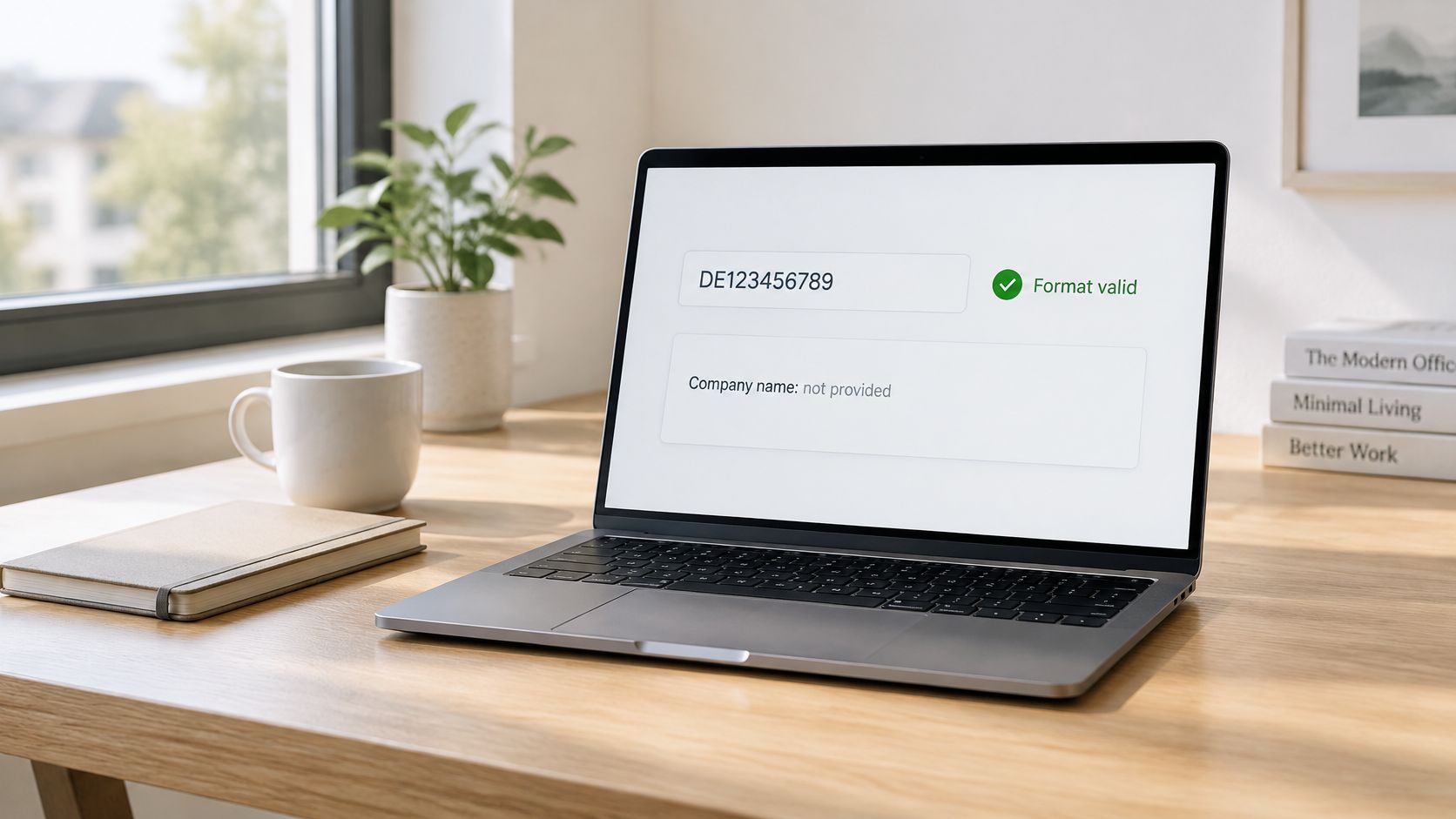
The Your Europe guidance on checking a VAT number in VIES explains the limit. National authorities may restrict disclosure of name and address details for data-protection reasons, and in those cases they confirm only whether a supplied name and address are associated with the number. The official validation workflow is country-dependent, and the requester may need to submit the trader's name, company type, street, and postal code to get a binary match back.
This is a registry problem, and no amount of format work fixes it. A regex can prove the digits are well-formed. It cannot prove who the number belongs to, and for the restricted countries even the registry will only confirm or deny a name you supply.
Two Failure Modes and Their Fixes
- Expecting a company name that never arrives: Your checkout waits for a name field to populate before enabling the order button, and for restricted countries it stays empty forever. Fix it by making the returned name optional in your UI logic. A valid result with no name is a complete, successful answer.
- Overwriting customer data with registry data: Your form auto-fills legal name and address from the response, replacing what the customer typed. Registry records use legal forms, abbreviations, and old addresses that may not match how the customer needs the invoice issued. Fix it by showing returned data as a suggestion, never as a silent replacement.
The short walkthrough below shows a validation exchange end to end, which makes the empty-field case easier to recognize when you meet it in your own logs.
The Stronger Pattern
- Collect the invoice name and address from the customer as normal form fields.
- Validate the VAT number against the registry.
- Record the timestamp and response with the customer record.
- Treat returned identity fields as corroboration rather than enrichment. Flag a mismatch for review instead of resolving it automatically.
This matters more each year. EU VAT rules are moving toward electronic invoicing and digital reporting, so the name on the invoice and the name behind the number will increasingly be compared by machines, not just read by accountants.
Rule for checkout design: Don't assume a company lookup by VAT ID, and don't overwrite customer-entered legal details with whatever a registry returns.
Where Each Check Belongs in Your Stack
Split validation across three layers, and give each layer only the checks it can do honestly. A common failure is putting every check in one place, usually the browser, and then trusting the result. A regex proves a number could exist. Only a registry lookup proves it is registered. That difference decides where each check runs.
Browser
The browser confirms a country is selected, a prefix is present, and the length and characters look plausible for that country. That runs with no network call, no secret, and instant feedback while the user is still looking at the field.
Keep it advisory. A browser check should never block submission because of a remote error it can't even see, and it should never be the only copy of your country rules. Ship the registry to the client if you want good inline errors, but treat the client copy as a convenience.
Server
The server runs the full country registry, normalizes the value, calls remote validation, and caches definitive results. A 24-hour cache is a sensible window for most B2B records, long enough to absorb repeat submissions and short enough that a deregistered number doesn't stay trusted for weeks.
Reverse charge gets decided here too. Apply it only from the server's stored valid result, never from a client-side flag. A browser can be told anything, and a manipulated request that sets vat_valid to true shouldn't change how an invoice is taxed.
Our notes on applying EU VAT checks in a Stripe billing flow show where that server-side decision sits relative to subscription creation and invoice finalization. The short version is that the tax decision belongs next to the invoice, not next to the form field.
Checkout
Validate on blur or on submit, not on every keystroke. Per-keystroke validation burns remote calls on half-typed numbers and produces a stream of error messages for input the user hasn't finished entering.
- On blur: Run the local pattern and show a format error if it fails.
- On submit: Let the server do the remote check and store the outcome.
- On service error: Save the number as pending and continue under a stated VAT policy, rather than abandoning the sale.
- At invoice issue: Re-validate when the stored record is older than your cache window, because that's the moment the tax treatment becomes a document.
Finish with the operational basics. Rate limit per user so one broken client can't exhaust a member state's concurrency allowance, log the request identifier so support can trace a disputed result, and use a sandbox or test numbers in development instead of hammering the live service with your test suite.
Validate Format First, Then Call the Remote Service
Sequence is the whole optimization here. Every step below exists to keep bad input away from a remote service that's slower, rate-limited, and occasionally down.
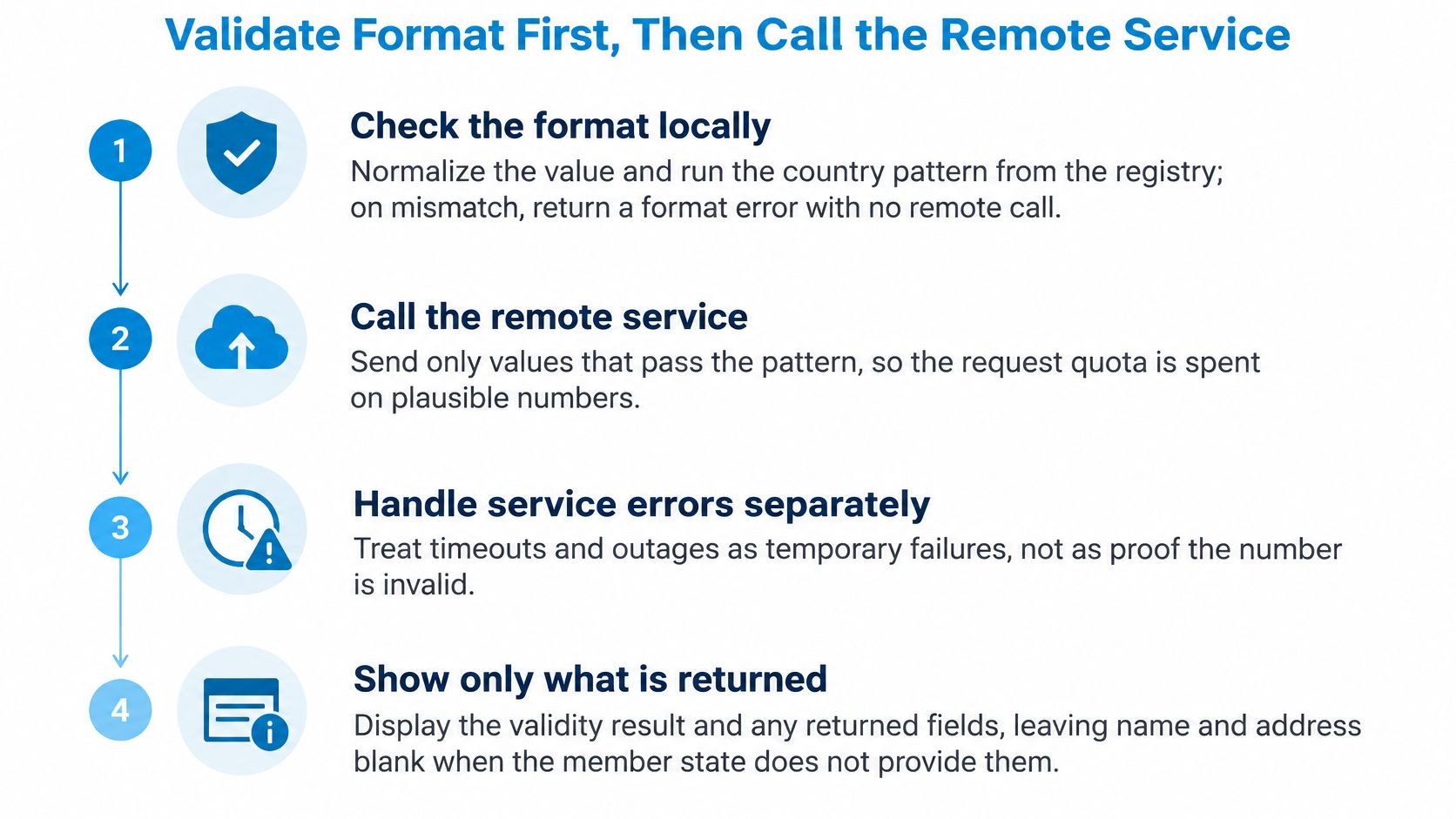
The Six Steps
- Run the country pattern locally on the normalized value and return a format error with no remote call. A format error uses no quota and comes back instantly, so there's no reason to send it anywhere.
- Check the cache for a definitive result for the same country and number. Repeat submissions from the same customer are common, and they shouldn't spend a second call to learn the same answer.
- Call remote validation only on a cache miss. By this point the value is well formed and uncached, which is the only combination worth paying latency for.
- Map the status to an action using the outcomes table. Keep that mapping in one function so checkout, invoicing, and your admin tools all react the same way.
- Store the timestamp, status, normalized number, and request_id. That record is your evidence if a tax authority later asks why an invoice carried no VAT.
- Keep the customer-entered name and address as the invoice record. Registry data corroborates it, it doesn't replace it.
How This Maps to Our API
We check the VAT number format locally before any network call, so a format error returns instantly with no quota consumed. Every request that reaches our servers counts as one validation whatever the result, which makes your cache the main lever for controlling usage.
Each response is a JSON object with valid, status, country_code, vat_number, company_name, company_address, request_date, cached, and request_id. Keep request_id as your audit reference, since it's the handle support needs to trace a specific lookup.
Resilience belongs in this step too. Our write-up on staying operational through VIES downtime covers queueing and retry policy for the outages you'll eventually hit. Plan for them before launch, because retrofitting a pending state into a checkout that assumes a synchronous yes or no is painful.
Build the registry and normalization layer first. It pays for itself whether you then maintain your own VIES wrapper or call a hosted API.
That's the core decision. The format tables, the routing rules, and the outcome mapping are unavoidable work. What you can choose is whether you also want to own SOAP parsing, per-country uptime quirks, and retry logic for twenty-seven national databases.
If you'd rather not maintain a SOAP wrapper, per-country retry logic, and a result cache yourself, TaxID handles EU VAT validation through a single REST endpoint with country format checks before the remote call and clean JSON responses you can store as invoice evidence. Start with the free tier, run your existing customer VAT numbers through it, and see how many fail on format alone before they ever reach VIES.